VLANs explained: one switch, many networks
Follow a frame from an access port, across an 802.1Q trunk, and into the right broadcast domain.
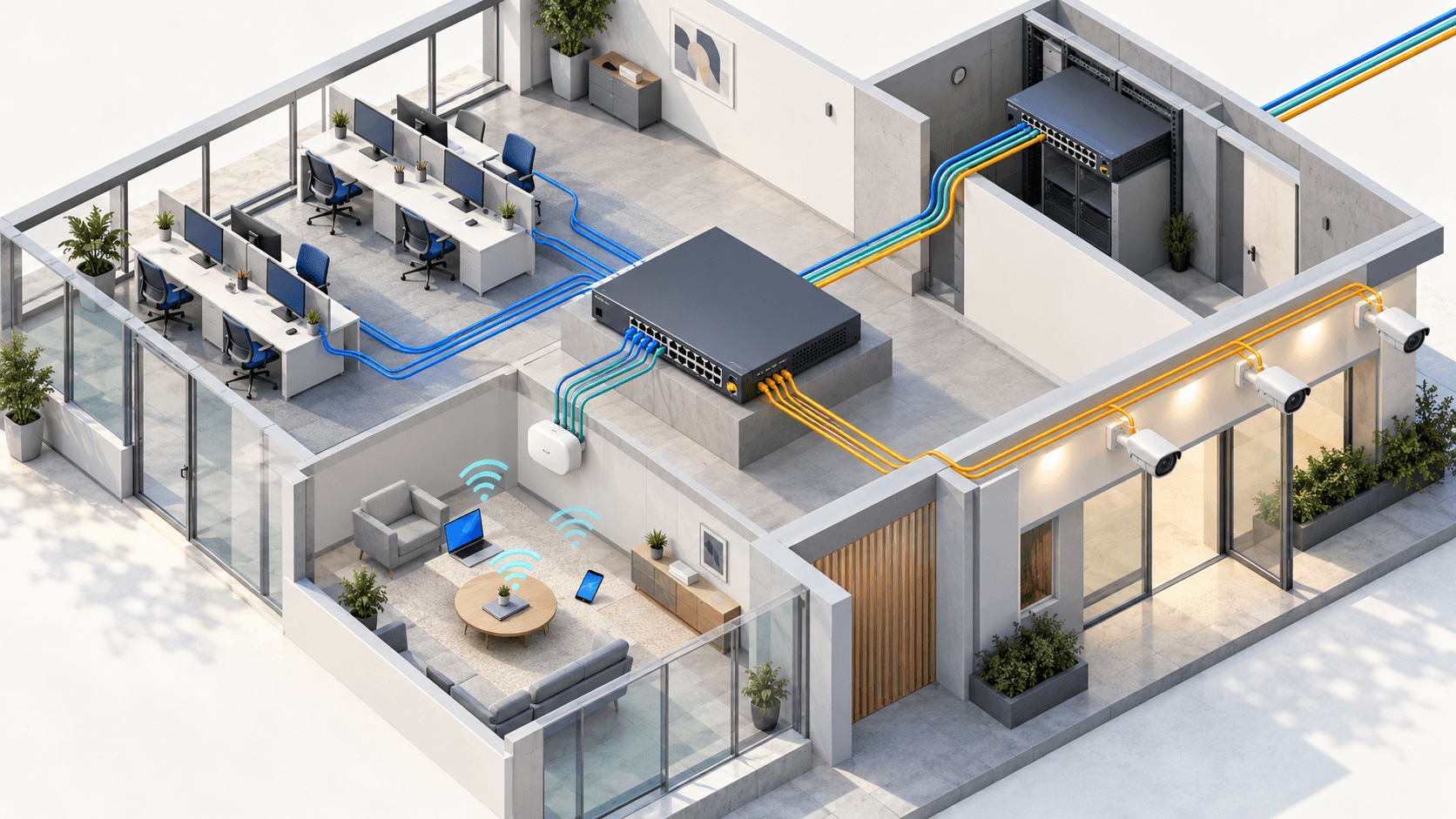
The cabling is physical. The network boundaries are logical.
A VLAN is a logical Layer 2 network. It lets one physical switch behave as if it were several separate switches, each with its own broadcast domain.
The core idea
Without VLANs, every port on a basic switch belongs to the same broadcast domain. An ARP request sent by one host is flooded toward every other active port in that domain.
Create VLAN 10 for staff, VLAN 20 for guests and VLAN 30 for cameras, and the switch keeps those floods separate. A staff broadcast never reaches a guest phone simply because both devices plug into the same switch.
A VLAN is not a subnet, but in a clean design each VLAN normally maps to one IP subnet.
VLAN 10
Staff
10.10.10.0/24
VLAN 20
Guest
10.10.20.0/24
VLAN 30
Cameras
10.10.30.0/24
Choosing those subnets is its own skill. Subnetting explained walks through the method with worked examples.
Access ports give devices a VLAN
An access port carries traffic for one VLAN. The connected laptop, printer or camera normally sends ordinary untagged Ethernet frames. The switch associates those frames with the configured access VLAN when they arrive.
interface GigabitEthernet1/0/12
 switchport mode access
 switchport access vlan 10
 spanning-tree portfast
The device does not need to know that VLAN 10 exists. VLAN membership is a property of the switch port.
Trunks carry several VLANs at once
Without trunking, every VLAN would need its own cable between switches. An 802.1Q trunk avoids that by inserting a four-byte tag into Ethernet frames crossing the link. The tag includes the VLAN identifier, so the receiving switch knows which logical network owns the frame.
Follow one Ethernet frame across two switches
Choose a VLAN and watch where the 802.1Q tag exists.
Staff device
untagged
SW1
802.1Q trunk
SW2
Destination
untagged
Frame while it is on the trunk
ENTER
The access port assigns the untagged frame to VLAN 10.
CROSS
The trunk adds an 802.1Q tag so the next switch keeps the identity.
LEAVE
The egress access port removes the tag before delivery.
interface GigabitEthernet1/0/48
 switchport mode trunk
 switchport trunk allowed vlan 10,20,30
 switchport trunk native vlan 99
Restricting the allowed list does not create the VLANs. It only controls which existing VLANs may cross that trunk.
The native VLAN handles untagged trunk traffic
On a standard 802.1Q trunk, frames in the native VLAN are untagged by default. Both ends must therefore agree on which VLAN an untagged frame belongs to.
Native VLANs must agree
See how the same untagged frame is classified at each end.
Switch A native VLAN
99
Switch B interprets it as
99
Both switches place untagged traffic in the same broadcast domain.
A mismatch can leak untagged traffic between broadcast domains and produces confusing connectivity faults. Cisco Discovery Protocol commonly reports the disagreement directly.
Different VLANs need a router
A switch forwards frames inside a VLAN. Traffic from VLAN 10 to VLAN 20 must cross a Layer 3 boundary, even when both devices connect to the same physical switch.
PACKET PATH
- Staff host: sends the packet to its default gateway because the guest address is remote.
- Router or SVI: applies Layer 3 policy and routes toward the guest subnet.
- Guest VLAN: receives a new Ethernet frame carrying the routed packet.
This is where firewalls and ACLs can decide whether staff may reach cameras, whether guests may reach anything internal, and which services remain available.
A practical branch-office design
| VLAN | Purpose | Subnet | Policy |
|---|---|---|---|
| 10 | Staff | 10.10.10.0/24 | Internal services and internet |
| 20 | Guest Wi-Fi | 10.10.20.0/24 | Internet only |
| 30 | Cameras | 10.10.30.0/24 | Recorder and management only |
| 99 | Native / unused | No user subnet | No access ports |
The VLAN creates separation at Layer 2. The router, firewall or multilayer switch enforces what may cross between those segments.
Troubleshoot in this order
- 1
Confirm access membership
show vlan briefproves that the VLAN exists and that the host port belongs to it. - 2
Inspect the port
show interfaces switchportreveals operational mode, access VLAN and native VLAN. - 3
Check the trunk
show interfaces trunkshows which VLANs are allowed, active and forwarding. - 4
Verify Layer 3
show ip interface briefconfirms that the SVI or router subinterface providing the gateway is up.
Break and repair a real trunk
Diagnose a native VLAN mismatch, read the switch evidence, align both ends and verify that hosts can communicate again.
Open the VLAN lab