Cisco SD-WAN (Viptela)
Zero control connections and a healthy WAN link. Read the error the controllers sent back, live, right below.
Symptom
Stand up the vManage/vSmart/vBond control plane and bring a WAN edge under management over a live overlay.
Your mission
Inspect, recover, then verify
Format
Cisco SD-WAN CLI
Investigate before you configure.
Use the CLI evidence to isolate the fault, make the smallest safe correction, then verify the network state changed.
Observe the symptom and link state.
Diagnose by comparing the protocol evidence.
Verify the expected device state and confirm the original symptom is resolved.
Console access: vEdge
This workspace stacks for portrait phones. Rotate to landscape for the full split-screen console.
Need a hint?
Reveal the root cause when you're ready.
Try the investigation first, then use this as your escape hatch, not a dead end.
Lab debrief
Turn the session into a repeatable troubleshooting pattern.
Use this reference after your attempt: first explain the symptom, then verify the evidence, then confirm the repair.
The problem
A CSR1000v WAN edge looks powered on and configured, but it won't come up in vManage: its control connections to the SD-WAN control plane never establish.
What you'll practice
- Bring a CSR1000v WAN edge under vManage control
- Verify control connections and certificate status between vBond, vSmart and vManage
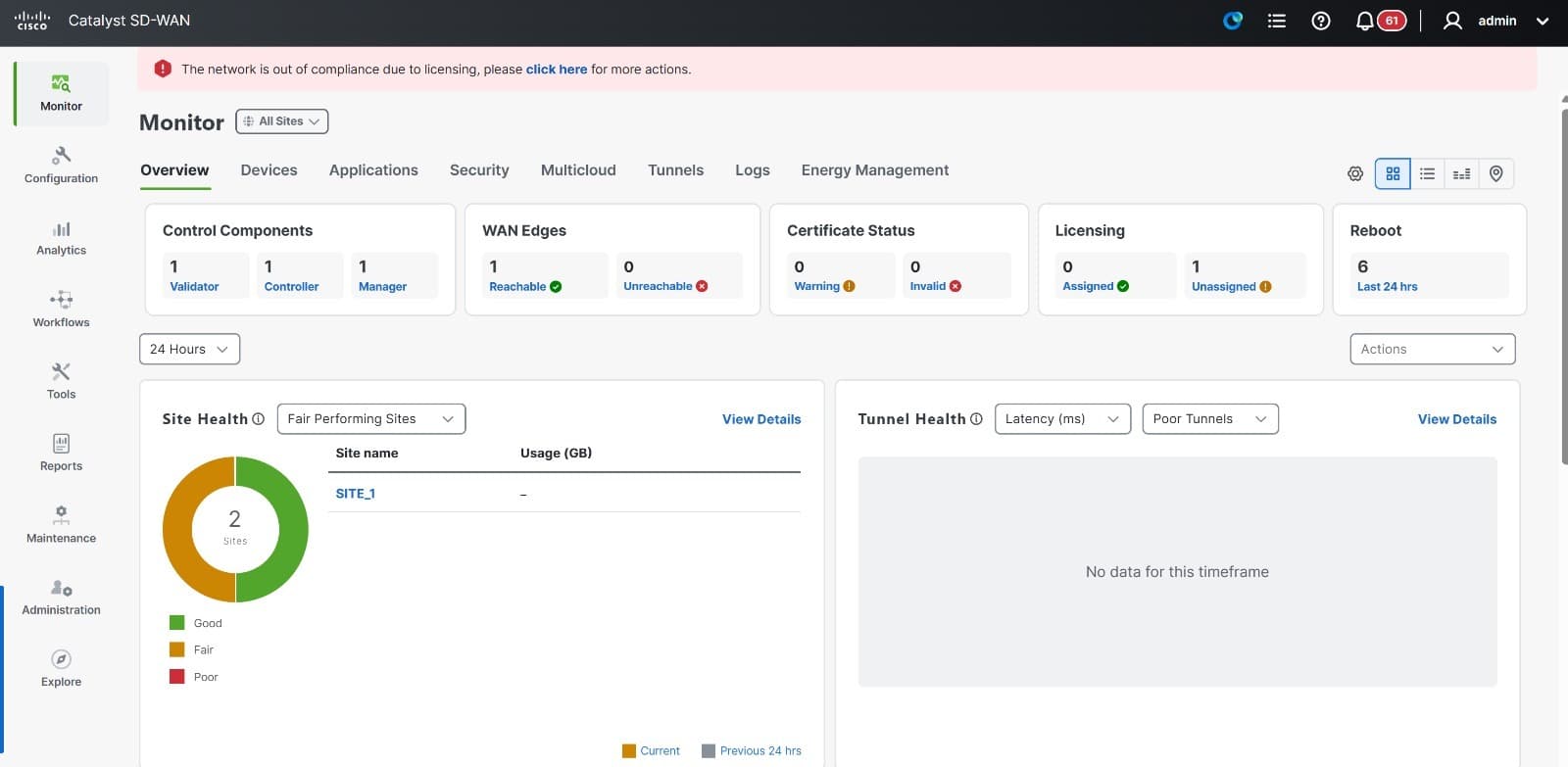
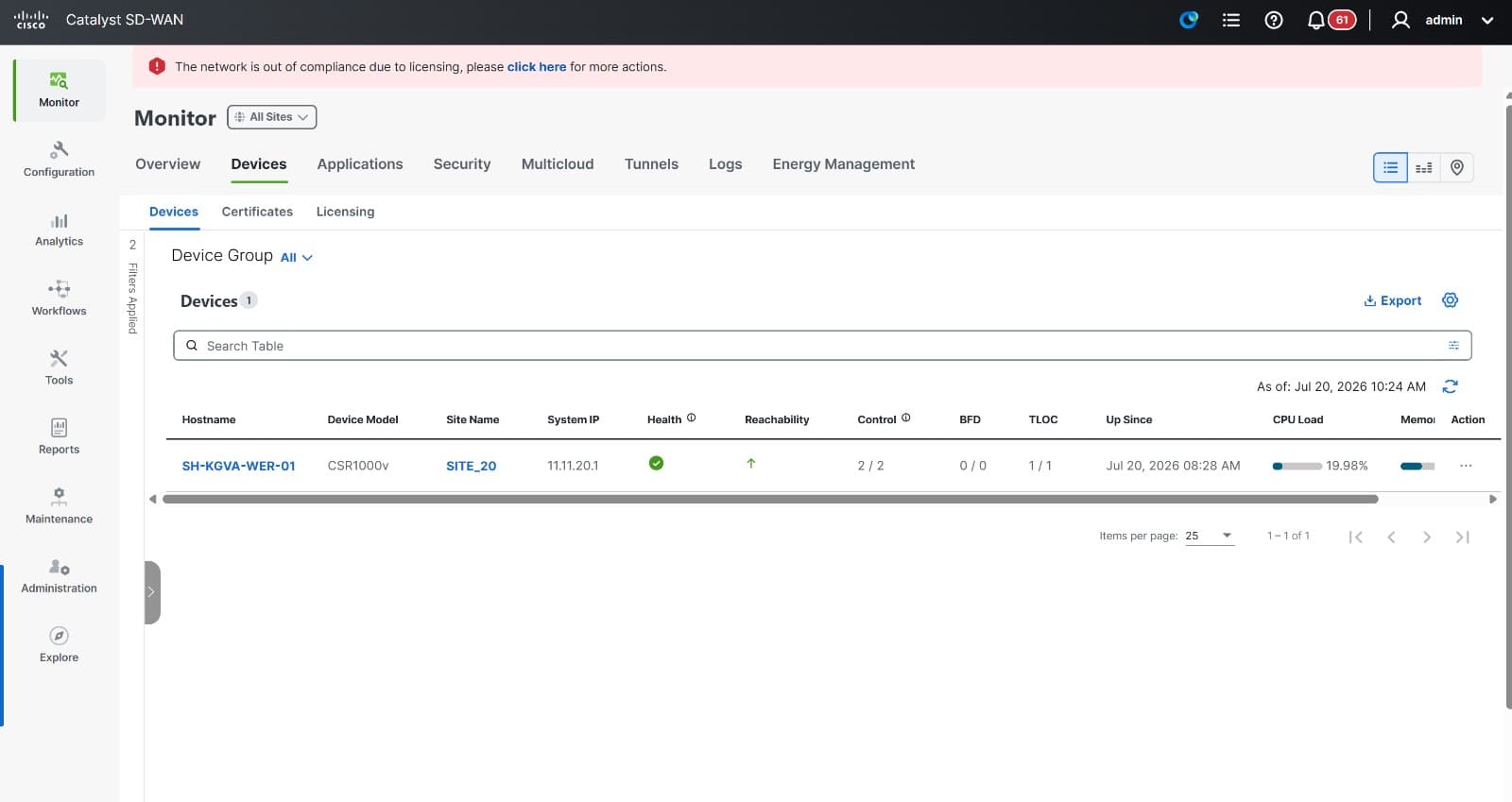
- Read live site, tunnel and device health from SD-WAN Manager
- Inspect TLOC and BFD session state for a WAN edge
- Diagnose a WAN edge that fails to reach the control plane
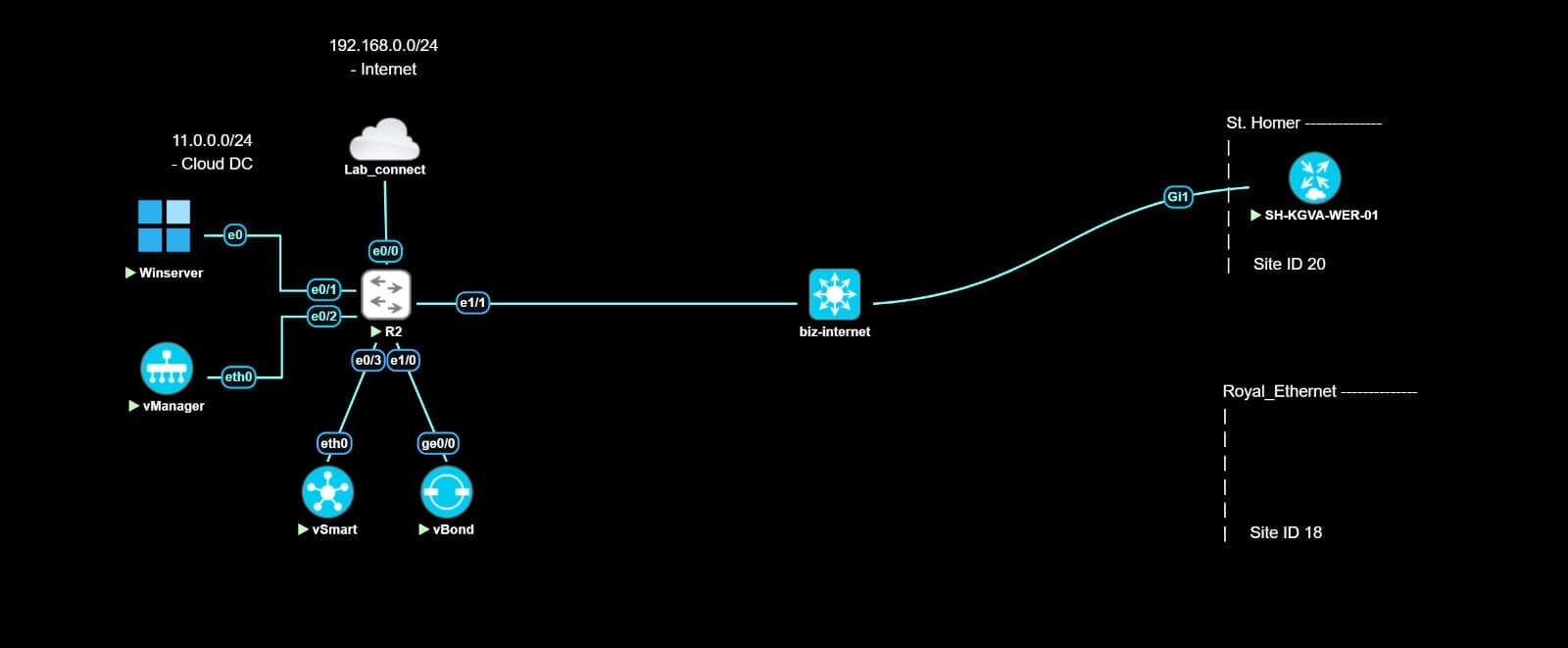
The topology
A vManage/vSmart/vBond control-plane cluster oversees a CSR1000v WAN edge, which reaches the transport network over a biz-internet link, the same validator/controller/manager split and edge onboarding flow used in a real Cisco SD-WAN deployment.
Commands to run yourself
The real diagnostic commands for this lab, copy-paste ready. Run these in the same order to reproduce the investigation on your own session.
show control connectionsshow control connections-historyshow control local-propertiesTopology diagram
Inside a real session
More genuine captures from this lab running on the platform, at full size so the console text stays readable.
Fact-checked references
The commands and behaviour in this lab were checked against these primary references.
Frequently asked
Do I need my own vManage/vSmart/vBond licenses?
No. The full control-plane cluster is already deployed and licensed. You work on bringing edges under management, not standing up controllers.
Is this the same Cisco SD-WAN Manager UI used in production?
Yes. This is the real Catalyst SD-WAN Manager, not a mockup, so device inventory, tunnel health and certificate status behave exactly as they would on production controllers.
Ready to run this lab yourself?
No setup, no image sourcing. Book a session or ask for a live demo.